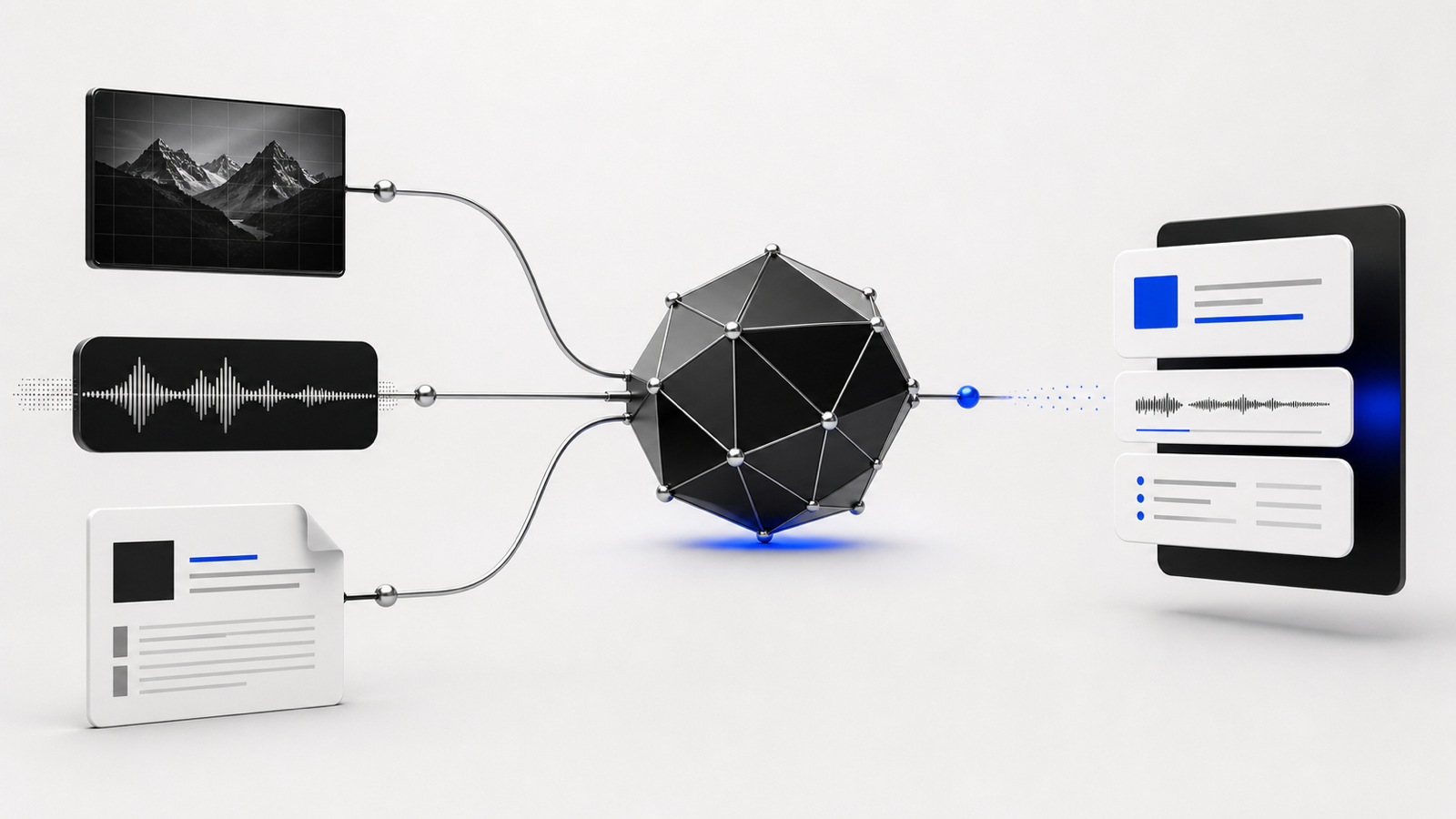
Can a smudged, handwritten delivery note go into an inventory spreadsheet without someone retyping it? That question is basically what "multimodal AI" means, stripped of the jargon. For years, when people said "AI" they usually meant a system that took text in and gave text out. Multimodal means the model can also take in images, audio, or video — and in some cases produce them — instead of being limited to words on a screen. The model is still finding patterns and predicting what comes next; it has simply been trained to work across pictures and sound as well as sentences.
The plain-English version: you can now hand a model a photo, a voice memo, a scanned document, or a short video clip, and ask it questions about that content the same way you'd ask about a paragraph of text. "What does this label say?" "What's wrong with this product in the photo?" "Summarize what the customer said on this call." The model looks at (or listens to) the actual pixels and sound waves, not a transcript someone typed up in advance. That's the shift. It used to take a separate specialized tool for OCR, another for speech-to-text, another for image tagging, and none of them talked to each other or understood context the way a person would. Now one general-purpose model can do a rough version of all three and reason about what it found.
For a small business, the most immediately useful case may be paperwork you already have piles of. Scanned invoices, handwritten job notes, faded receipts, or a supplier's price list that only exists as a phone photo — a multimodal model can read much of it and pull out the fields you care about: vendor name, amount, date, and line items. It will not be perfect on messy handwriting, but it can turn a long data-entry chore into a shorter review-and-correct step. This is a sensible place to start because the human review is already part of the process and can catch a misread number before it reaches the books.
Product photos are another practical use case for anyone selling online. A model can draft a description, flag packaging that looks damaged, or check whether an image appears to match a listing. Fictional example: A furniture reseller uses the model to triage incoming supplier photos — not to make final decisions, but to produce a first pass on which items look questionable before a person reviews them. It is a filter, not a judge, and that distinction matters.
Audio is where this gets genuinely useful for a different reason: most small businesses have calls happening constantly and almost none of that gets captured anywhere. A multimodal model can transcribe a customer service call, pull out the actual complaint versus the small talk, and even flag tone — did this call end badly, did the customer sound frustrated. That's not just convenience, that's information you were previously losing the second the call ended. The same applies to voicemails, sales calls, or a contractor dictating notes from a job site instead of typing them one-handed while covered in drywall dust.
There's also a category of use case that's less about extraction and more about description — being a second set of eyes for someone who can't be everywhere. A property manager can send a photo of a maintenance issue and get a plain-language read on what's likely wrong before deciding whether to send a plumber or an electrician. A retail owner can point a camera at a shelf and ask whether it looks fully stocked. None of this replaces someone actually checking, but it changes who has to check first, and that's often the entire point for a business with three employees instead of thirty.
The part not to skip is that multimodal models make real mistakes, often without a visible sign of uncertainty. A cluttered photo with overlapping text, bad lighting, or a busy background can make a model read a "3" as an "8," miss a line item, or describe something that is not there. Audio has the same problem in a different shape: strong accents, background noise, crosstalk, or a bad connection can degrade transcription quality badly, and the model may not say it is guessing. The wrong answer can sound just as confident as the correct one.
Treat multimodal output as a fast first draft, not a verified fact. It is useful for triage, drafting, and getting a head start. It is not sufficient on its own where a wrong number or misread name causes real damage — an invoice total sent straight into a payment run, a medical or legal document, or a customer complaint logged incorrectly. The failure mode is quiet: a plausible-looking wrong answer that nobody double-checks because it looked fine.
The practical way to adopt this without getting burned is to start with the lowest-stakes version of the task and build trust from there. Try it on invoices you're going to review anyway before it touches your actual bookkeeping. Try it on call transcripts you're going to skim before it becomes the official record. Watch where it actually fails — usually it's consistent, like struggling with a particular vendor's handwriting or a particular accent — and design your process around that weak spot instead of pretending it doesn't exist. That's the difference between multimodal AI being a genuine time-saver and it quietly introducing errors you don't notice until a customer or an accountant does.
Multimodal AI is neither magic nor a gimmick. It is a useful tool with a specific, learnable set of blind spots, and businesses get more value from it when they find those blind spots early, deliberately, before the tool is anywhere near something that truly matters.